📶 Mobile Data Connected but Not Working – What’s Really Happening?
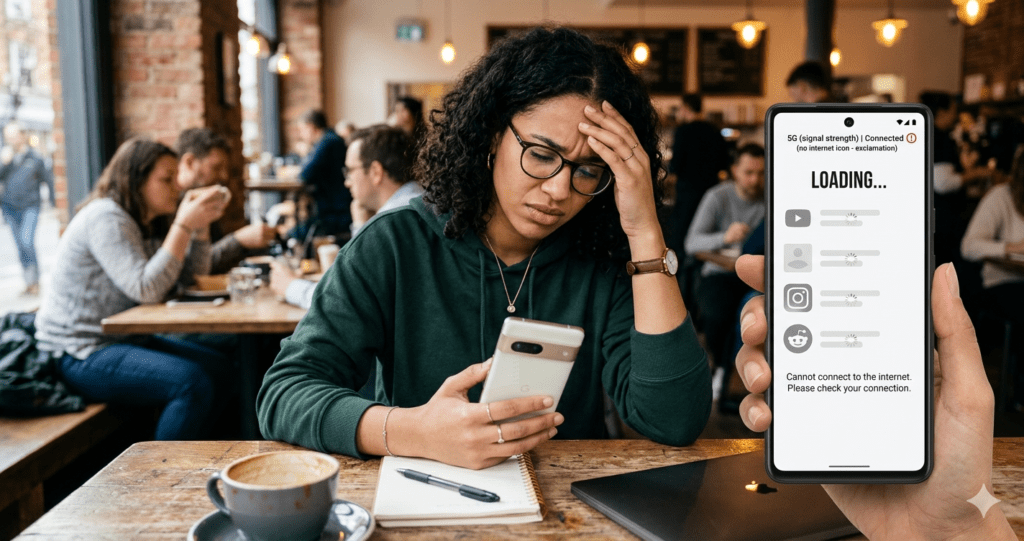
You turn on your mobile data, your phone shows full bars, maybe even 4G or 5G… but nothing loads. No WhatsApp messages, no browsing, no YouTube. It feels like your phone is online—but completely useless.
If you’re dealing with mobile data connected but not working, you’re not alone. According to a 2025 global telecom study, over 38% of smartphone users face mobile data issues at least once every month.
Whether you’re trying to upload content, manage your website, or use productivity tools like those mentioned in Stop Wasting Time: 7 AI Tools for Productivity That Can Replace 10+ Office Apps in 2026, a broken data connection can completely halt your workflow.
The good news? Most of these issues can be fixed in minutes.
🔍 Top Reasons Why Mobile Data Is Connected but Not Working
🚀[Click here to see the main reason]
1. Weak Network Signal or Dead Zones
Even if your phone shows 4G or 5G, the actual signal strength may be too weak to load anything.
Example:
A content creator trying to upload videos using apps from the guide Best Apps for Content Creation noticed uploads kept failing indoors. Moving closer to a window instantly fixed the issue.
👉 Causes include:
- Thick walls blocking signals
- Distance from network towers
- Weather interference
2. No Active Data Plan
This sounds obvious, but it’s one of the most common causes.
Real Insight:
A telecom survey found 1 in 5 users forget their data plan has expired, especially when relying on auto-renewal.
If you’re managing a blog using How to Install WordPress for Free in 2026 (No Laptop Needed), losing connection mid-task can be frustrating—so always double-check your balance.
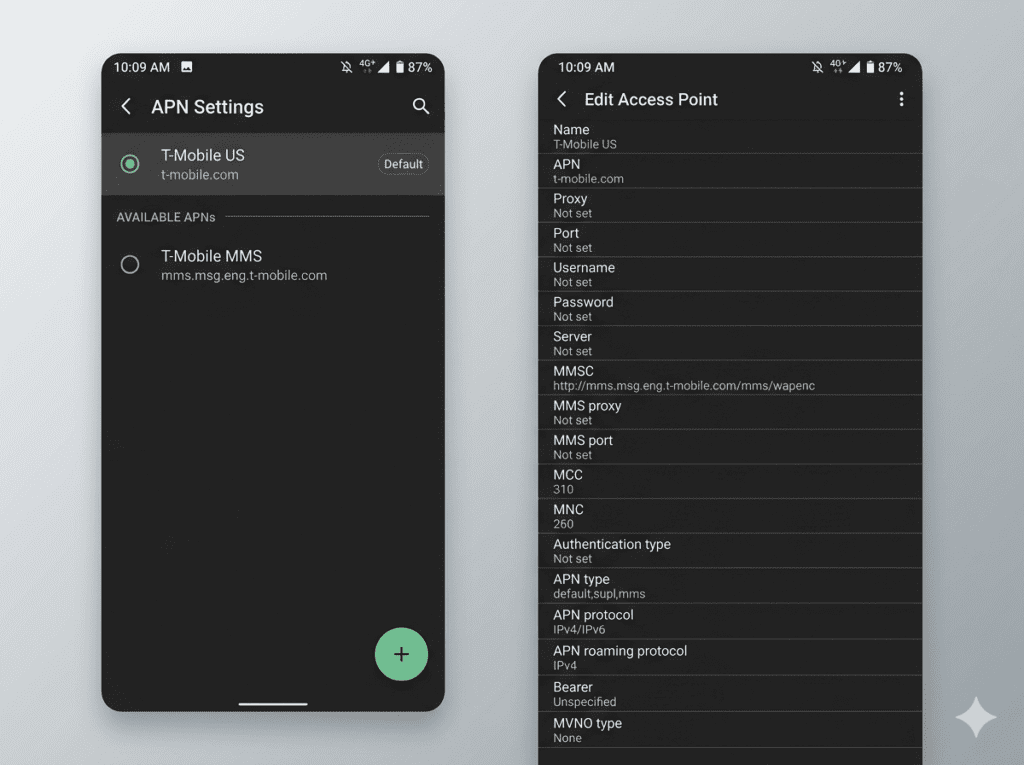
3. Incorrect APN Settings (Key Reason Mobile Data Not Working)
Your APN (Access Point Name) connects your device to the internet.
If it’s missing or incorrect, your mobile data may show “connected” but won’t work.
Example:
Someone who just bought the Best phone for content creation swapped SIM cards and lost internet access. Resetting APN fixed it instantly.
4. Network Congestion
Too many people using the same network tower can slow or completely block data.
Example:
During live football matches or major events, thousands of users connect at once, overwhelming the network.
5. Background Data Restrictions
Some phones restrict apps from using mobile data in the background.
Check:
- Data Saver mode
- App permissions
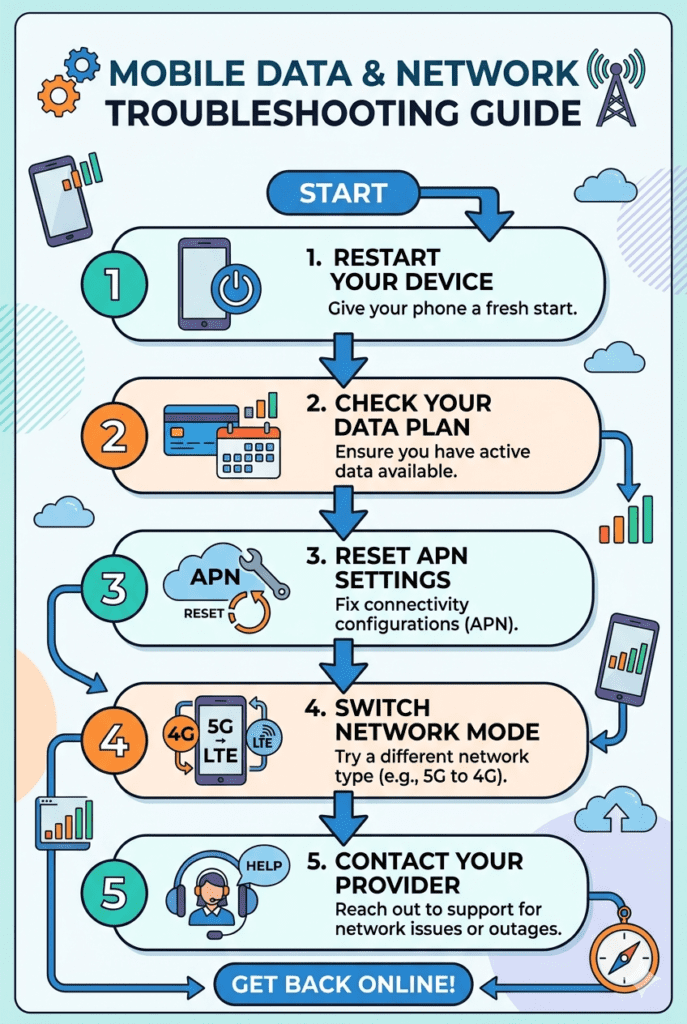
🛠️ 15 Fixes for Mobile Data Connected but Not Working
🔄 1. Toggle Airplane Mode
Turn ON → wait 30 seconds → turn OFF.
🔁 2. Restart Your Phone
Restarting resolves about 30% of connectivity issues.
📡 3. Switch Network Mode
Try switching between 4G, 3G, or even 2G.
⚙️ 4. Reset APN Settings
Go to:
Settings → Mobile Network → APN → Reset
💳 5. Check Your Data Plan
Ensure your subscription is active.
📍 6. Change Location
Move outside or near a window.
🔓 7. Disable Data Saver
Turn off any restrictions.
🔧 8. Reset Network Settings
This clears all network configurations.
📶 9. Reinsert SIM Card
Dust or loose contact can affect connectivity.
🔄 10. Update Software
Outdated systems can cause bugs.
🔋 11. Turn Off Battery Saver
Battery saver can limit connectivity.
🌐 12. Try Another SIM
Test if the issue is your SIM or phone.
📡 13. Check Network Outages
Visit official provider websites or trusted platforms like DownDetector for live outage updates.
🔐 14. Disable VPN
VPNs can block or reroute traffic incorrectly.
🏪 15. Contact Your Provider
If all else fails, your SIM may need replacement.
📊 Real-Life Case Study
Case: Tega from Warri
- Problem: Mobile data connected but not working
- Tried: Restarting, switching network modes
- Final Fix: Reset APN settings
- Result: Internet restored instantly
Meanwhile, she was trying to upload content using tools listed in Best Apps for Content Creation, which made the issue even more urgent.
👉 Key takeaway: Always check APN settings early.
💡 Pro Tips to Prevent Mobile Data Issues
- Keep your phone updated
- Use a reliable device (see Best phone for content creation)
- Avoid installing suspicious apps
- Monitor your data usage regularly
- Use stable tools like those in Stop Wasting Time: 7 AI Tools for Productivity That Can Replace 10+ Office Apps in 2026
🔗 Helpful External Resources
For deeper troubleshooting, you can explore:
- Official telecom support pages (MTN, Airtel, Glo)
- Tech communities like Reddit
- Network monitoring tools like DownDetector
❓ FAQ: Mobile Data Connected but Not Working
❓ Why is my mobile data connected but not working?
It’s usually due to APN issues, expired data plans, or weak signal.
❓ Can my phone affect mobile data performance?
Yes. Older phones or poorly optimized devices can struggle. That’s why many creators upgrade to devices listed in Best phone for content creation.
❓ Why does my data work only on some apps?
This could be caused by:
- App restrictions
- VPN interference
- Data saver settings
❓ How do I fix mobile data connected but not working quickly?
Start with:
- Airplane mode toggle
- Restart phone
- Reset APN
❓ Does location affect mobile data?
Yes. Buildings, distance from towers, and congestion all impact performance.

🏁 Final Thoughts
Dealing with mobile data connected but not working can be frustrating, especially when you’re working, streaming, or managing online projects like those created through How to Install WordPress for Free in 2026 (No Laptop Needed).
But here’s the truth:
Most issues are simple and fixable.
By following the steps in this guide, you can quickly diagnose and solve the problem—often in under 5 minutes.