Why Learning How to Create a Media Kit Is Essential
In 2025, I took my blogging seriously and started looking for a way to create a media kit that would land me a good brand deal. If making money online as a creator, blogger, or influencer is your goal this 2026, then you need one thing above all:
👉 A professional media kit.
But here’s the truth most beginners don’t know:
You don’t need a laptop.
You don’t need design skills.
You don’t need expensive tools.
All you need is your smartphone—and the right strategy.
Learning how to create a media kit on your phone gives you the ability to:
- Pitch brands instantly
- Present yourself professionally
- Turn opportunities into income
In 2026, your phone is your business hub. Your media kit is your digital resume, and this guide will show you how to build one that actually converts.
Why You Must Create a Media Kit Right Now
Speed is everything in the creator economy.
Imagine a brand reaches out and asks for your stats. If you delay, you lose.
Creators who understand how to create a media kit on your phone can:
- Update stats in minutes
- Export a PDF instantly
- Reply to brands faster than competitors
👉 Faster response = more deals.
The End of Desktop-Only Design
Gone are the days when you needed Photoshop or a high-end PC.
Today, mobile apps allow you to:
- Design professional layouts
- Use ready-made templates
- Export polished PDFs
Many creators now run their entire business—from analytics to outreach—directly from their phones.
Step-by-Step: How to Create a Media Kit
Step 1: Download the Right Apps
To master how to create a media kit, start with these tools:
- Canva (best overall)
- Adobe Express
- Google Slides
👉Best Apps for Content Creation Worldwide
Step 2: Optimize Your Phone for Performance
A slow phone will frustrate you.
👉 Read: How to fix a laggy Android phone, and make it run like new again
👉 Also check: 11 Hidden Smartphone Settings You Must Change Right Now in 2026
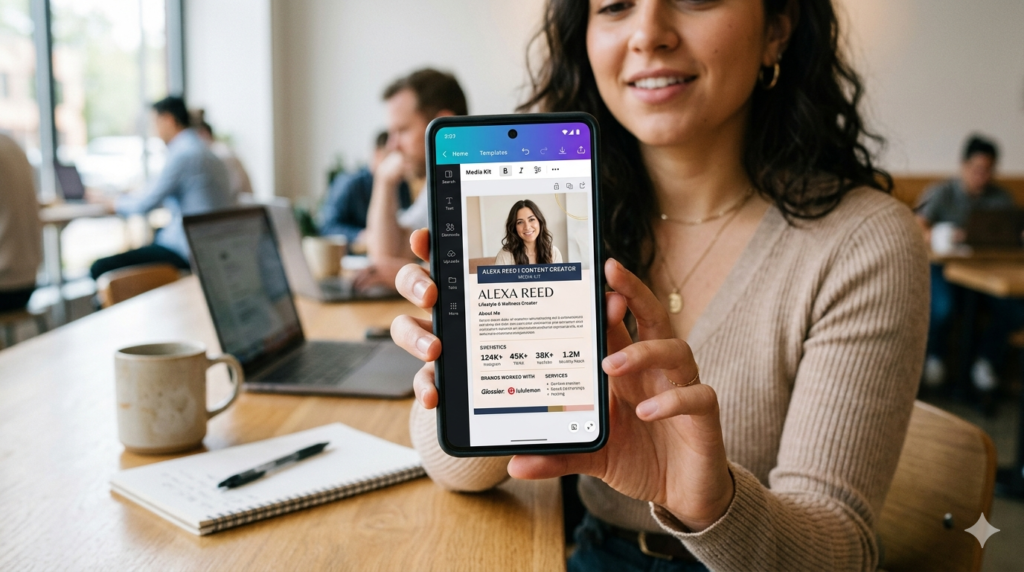
Step 3: Choose a Clean Media Kit Template
Inside Canva, search:
👉 “Media Kit”
Pick a template that is:
- Minimal
- Professional
- Easy to scan
Step 4: Write a Bio That Hooks Brands
Your bio should instantly communicate value.
Weak:
“I’m a lifestyle creator.”
Strong:
“I help Gen Z professionals build wealth through data-driven content and high-converting strategies.”
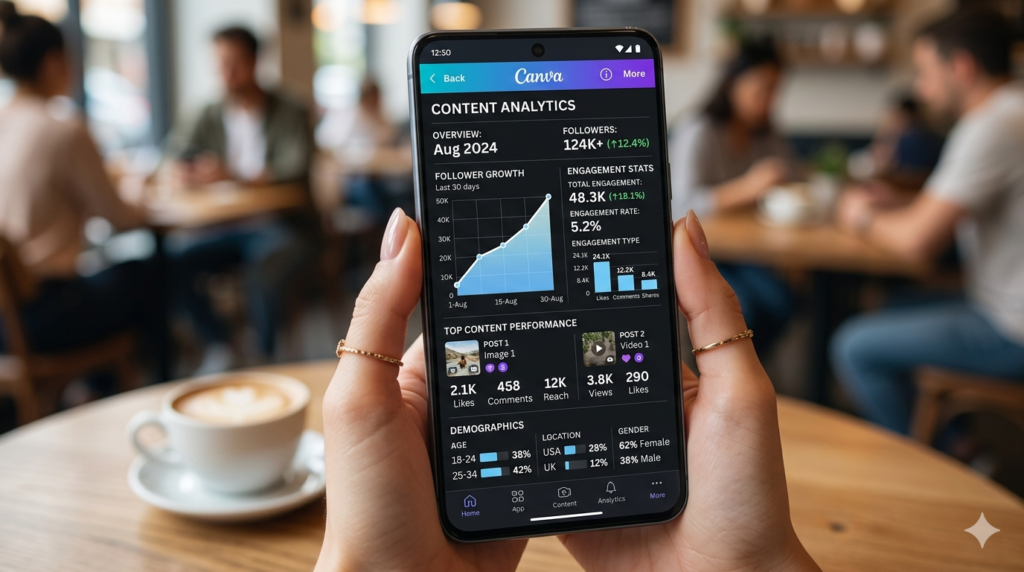
Step 5: Add Real Analytics (Critical Step)
Brands care about numbers.
Include:
- Website traffic
- Social media engagement
- Audience demographics
👉 If you don’t have a site yet:
How to Install WordPress on Your Phone in 2026
📊 Media Kit Components Checklist
| Section | What to Include | Why It Matters | Example |
|---|---|---|---|
| About Me | Name, niche, bio | Quick introduction | Finance creator for Gen Z |
| Profile Image | Headshot/logo | Builds trust | Clear portrait |
| Audience Stats | Age, gender, location | Shows audience value | 60% female, 25–34 |
| Social Metrics | Followers, engagement | Proves influence | 10K followers |
| Website Traffic | Pageviews, visitors | Shows reach | 15K monthly views |
| Content Samples | Best posts | Demonstrates quality | Viral post screenshot |
| Case Studies | Results | Builds credibility | +200% growth |
| Services | What you offer | Defines value | Sponsored posts |
| Rates | Optional pricing | Sets expectations | $100/post |
| Contact | Email, handles | Easy communication | email@example.com |
Essential Sections Explained
1. Define Your Niche Clearly
Being specific helps brands understand your audience.
Example:
- ❌ Tech content
- ✅ Budget Android tips for students
2. Add High-Quality Content Samples
Include:
- Best-performing posts
- Clean visuals
- Engaging designs
3. Include Case Studies
Example:
“Grew blog traffic from 0 to 10,000 monthly views in 30 days.”
4. List Services Clearly
Examples:
- Sponsored blog posts
- Social media promotions
- Product reviews
👉 Example topic: Samsung Galaxy A57 vs A37 (2026)
📱 Best Mobile Tools for Creating a Media Kit
| Tool | Best For | Features | Skill Level |
|---|---|---|---|
| Canva | Beginners | Templates, easy design | Easy |
| Adobe Express | Branding | Advanced editing | Medium |
| Google Slides | Simplicity | Free, basic layouts | Easy |
Design Tips for Mobile Media Kits
Keep It Simple
- Use 1–2 fonts
- Stick to brand colors
Use High-Quality Images
Save Your Work
👉 How to Use Google Drive for Beginners (Step-by-Step) 💻
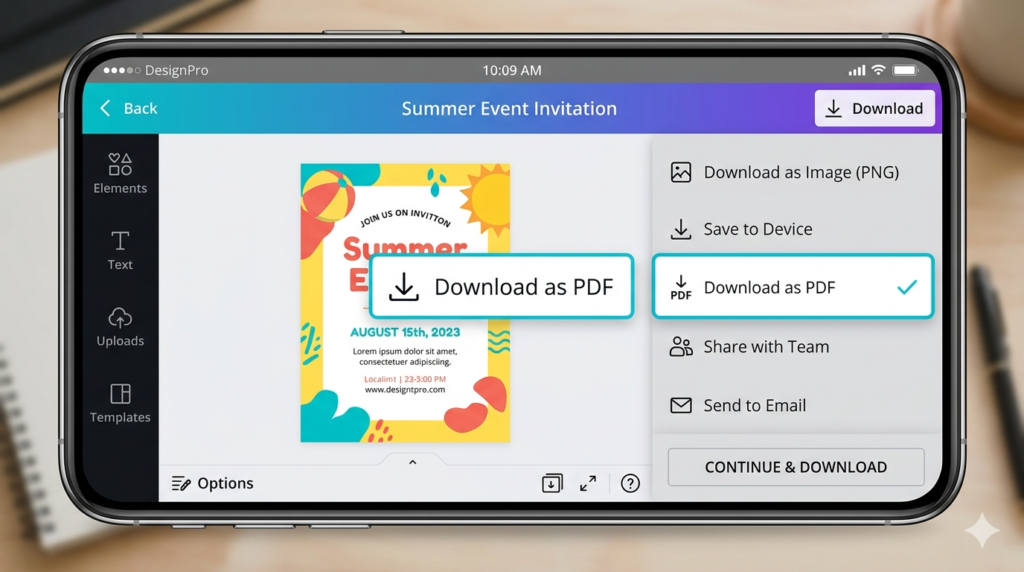
How to Export Your Media Kit Properly
Always export as:
👉 PDF
Never send:
- Screenshots
- Editable links
📊 Quick Workflow Table
| Step | Action | Time |
|---|---|---|
| 1 | Open Canva | 1 min |
| 2 | Choose template | 3 mins |
| 3 | Add bio | 5 mins |
| 4 | Input stats | 10 mins |
| 5 | Add visuals | 5 mins |
| 6 | Export PDF | 1 min |
| Total | ~25 mins |
How to Pitch Brands Using Your Media Kit
Step 1: Find the Right Contact
Use platforms like:
👉 Hunter
Step 2: Write a Short Email
Example:
Hi [Brand],
I love your product and would like to collaborate with you.
I’ve attached my media kit for review.
Looking forward to your response.
Step 3: Attach Your Media Kit
Always attach as PDF.
Step 4: Follow Up
Wait 5–7 days, then send a reminder.
Tools & Resources You Should Explore
👉 Best phone for content creation
👉 15 Best Free Apps Every Beginner Should Have in 2026 (Save Money)
👉 How To Use Play Store Like a Pro in 2026
Common Mistakes to Avoid
❌ Cluttered design
❌ Too many fonts
❌ Fake metrics
❌ Low-quality images
❌ Wrong file format
Real-Life Example
A creator with:
- 3,000 followers
- 5,000 monthly views
Used a simple mobile media kit and landed a $250 deal in 2 weeks.
Why?
- Clear niche
- Real stats
- Clean design
(FAQ) On How to Create a Media Kit
Can I really create a media kit on my phone?
Yes. Mobile tools are powerful enough for professional results.
How often should I update it?
Monthly.
Do I need a big audience?
No. Micro-creators are in high demand.
What matters most?
Engagement and audience quality.
How long should it be?
1–2 pages max.
Final Thoughts
Learning how to create a media kit is one of the smartest moves you can make in 2026.
It helps you:
- Move faster
- Look professional
- Earn more
You don’t need perfection.
You need:
- Clear data
- Clean design
- Confidence
Start today.
Because once you present yourself like a professional…
👉 Brands will start paying you like one.